Interactive
Digital Menu &
Ordering Platform

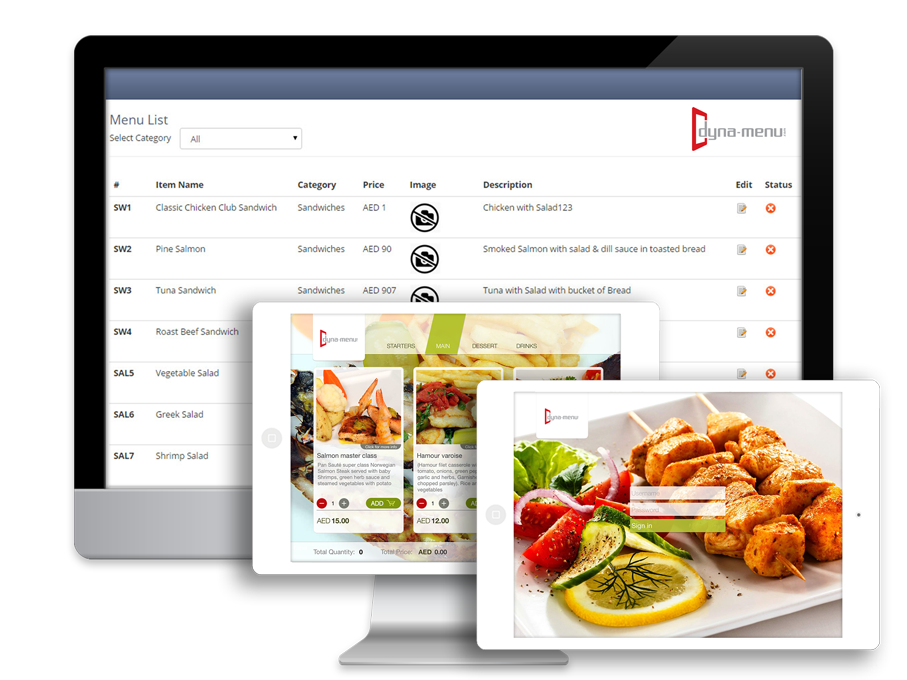
More Than a Digital Menu. Transform your restaurant into a fully connected digital experience with interactive menus, ordering, and business management - all in one platform.

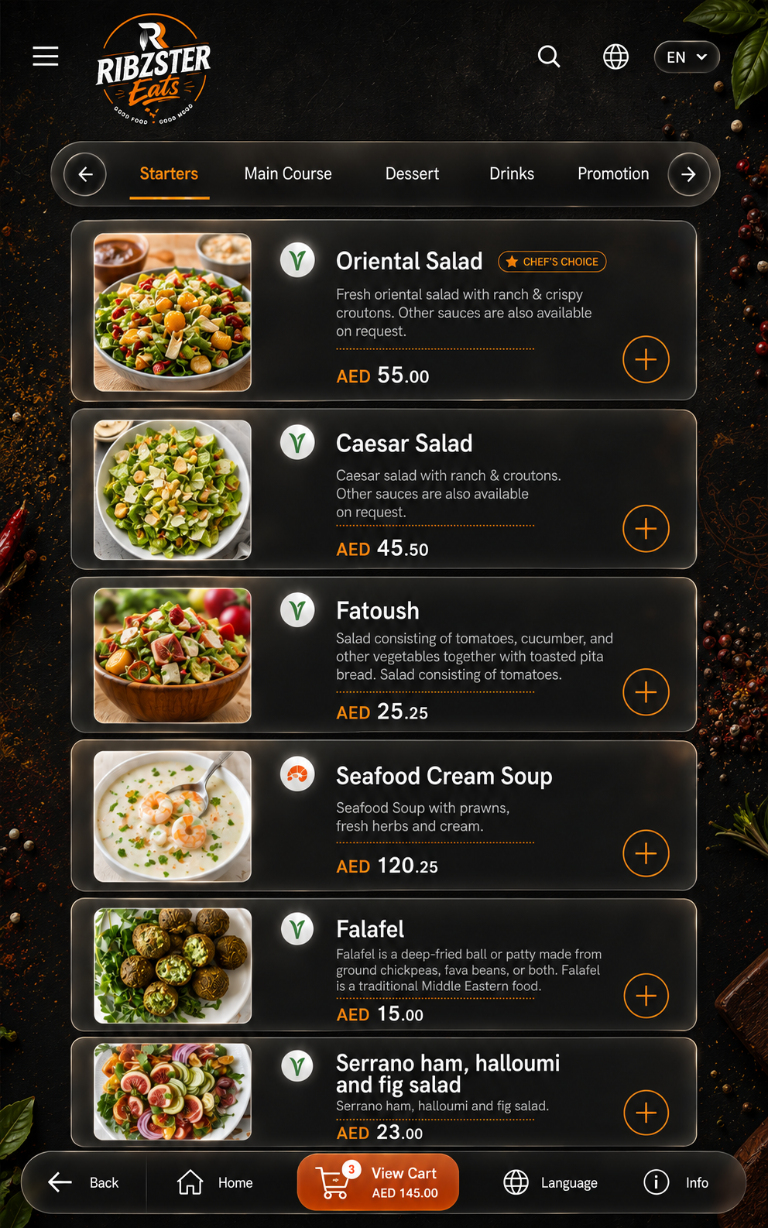
Digital restaurant menu displayed on a portrait tablet

dyna-menu features Select an icon to explore what you can do.

Designed for Multiple Customer Touchpoints

Reach your customers wherever they are - on any device, in any location

iPad & Android Tablets

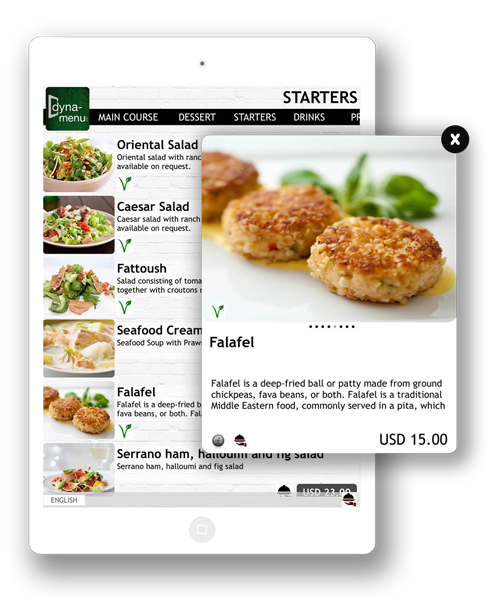
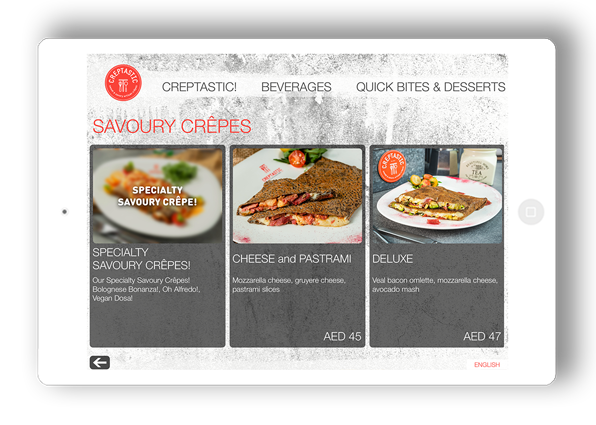
Deliver an immersive visual menu experience on compatible tablet devices placed at tables.

Mobile

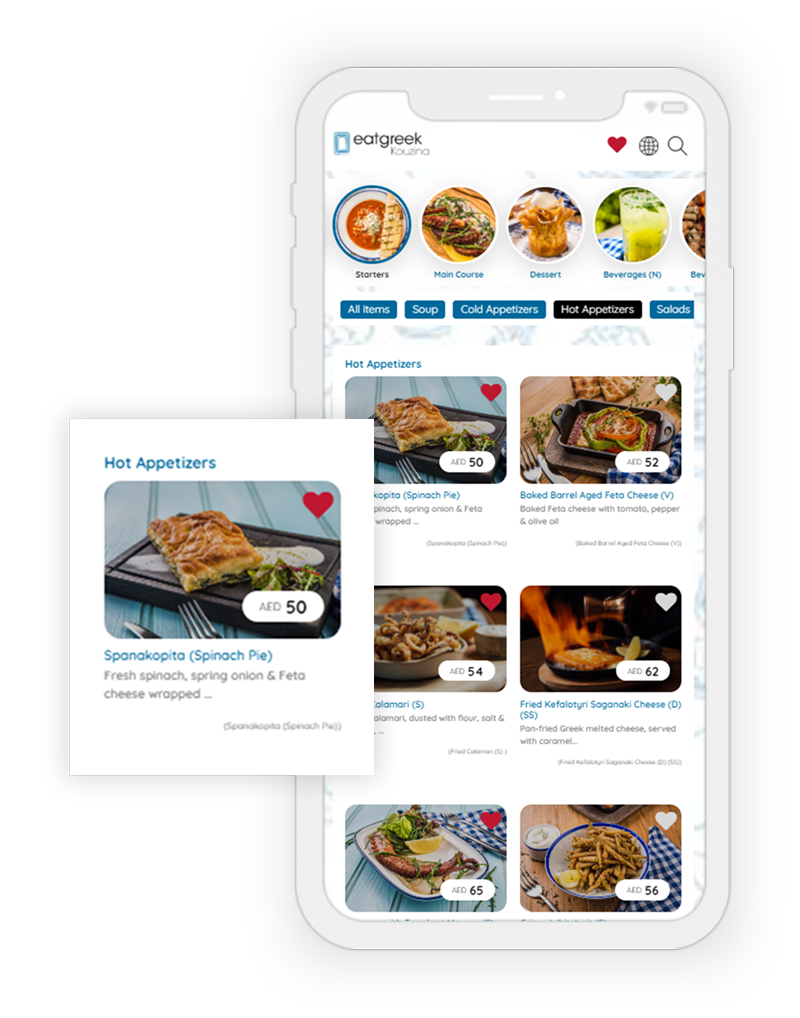
Let customers browse the menu on their own smartphones through convenient QR access.

Web

Extend your menu experience to your website and other online customer touchpoints.

Choose Your dyna-menu Solution

Two powerful platforms designed to transform how your restaurant operates and engages customers

dyna-menu app(View Only)

The dyna-menu App is a view-only digital menu. Create and showcase engaging menus, manage content centrally, update prices instantly, and let customers browse on their devices through mobile QR access. Highlight dishes with photos, descriptions, prices, and helpful dietary details.

ADD ON

DM-Dine(with ordering mechanism)

Add DM Dine to the dyna-menu App to extend menu browsing into a complete restaurant service workflow. Enable dine-in and takeaway ordering, table and waiter management, kitchen coordination, cashier operations, billing, and sales reporting—all connected to your core menu.

Explore Product Features

Explore the view-only menu features, then see how the optional DM-Dine add-on extends the experience with ordering and restaurant operations.

dyna-menu App · View Only

Choose a template style for your brand

Select from four professionally designed styles—Apricot, Blueberry, Cranberry, or Dates—to suit your restaurant’s identity. Present the menu on compatible tablets and other supported customer devices.

  • DM Apricot
  • DM Blueberry
  • DM Cranberry
  • DM Dates
DM Apricot menu template preview DM Apricot
DM Blueberry menu template preview DM Blueberry
DM Cranberry menu template preview DM Cranberry
DM Dates menu template preview DM Dates
dyna-menu App · View Only

Build a menu with the details guests need

Organise unlimited categories and items, add dish photos and descriptions, and display prices, currency, tax, dietary and allergen notes, and veg or non-veg indicators. Publish menu updates instantly.

  • Unlimited categories & items
  • Food images & descriptions
  • Prices, currency & tax
  • Allergen & dietary details
  • Promotion buttons
Interactive restaurant menu with categories, food photography, item details, and prices A vivid menu with clear item details
dyna-menu App · View Only

Schedule promotions by date and time

Prepare promotional content and choose its start and end dates, active days, and time range. Schedule offers around your service hours and planned campaigns.

  • Start & end dates
  • Available days
  • Time ranges
  • Promotion content
Dates · Days · Time ranges
dyna-menu App · View Only

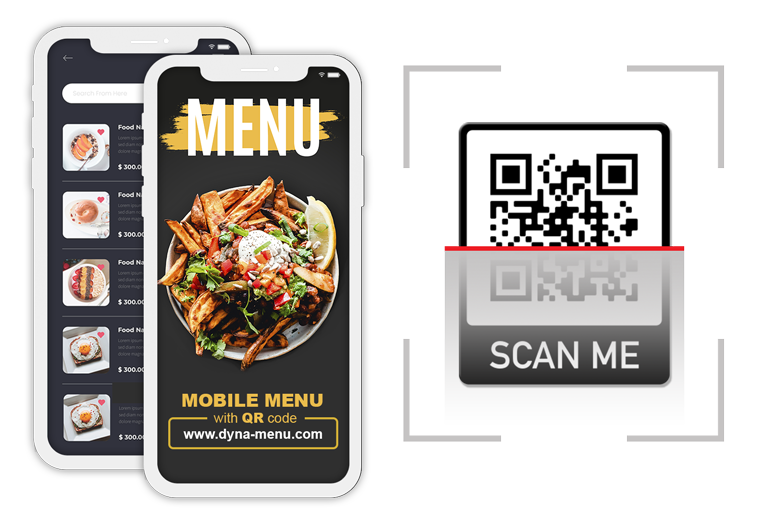
Let guests open the menu with a QR scan

Guests scan your menu’s QR code to open it on their own smartphone and browse categories, dishes, and item details. The app presents the menu without requiring a printed copy.

  • QR code access
  • Smartphone browsing
  • Menu categories
  • Dish details
Restaurant QR menu promotion with a scannable code and mobile menu preview Scan · Open · Browse
dyna-menu App · View Only

Manage your branded menu from the dashboard

Use the dashboard to customise your menu with your logo, fonts, background images, and welcome message, then import menu data from CSV to reduce manual entry. Authorised team members can manage menu content, and you can maintain versions in up to five languages, including Arabic with a right-to-left interface.

  • Brand customisation
  • CSV menu import
  • Authorised team access
  • Up to 5 languages
  • Arabic right-to-left
dyna-menu brand and restaurant menu shown across connected screens A consistent brand experience
dyna-menu App · View Only

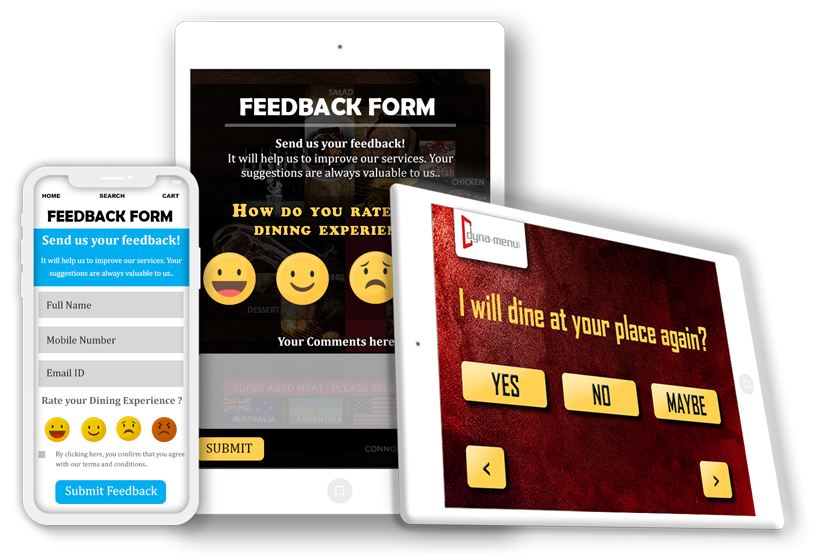
Collect feedback from your guests

Create feedback questions with single- or multiple-answer choices. Gather guest responses to understand their experience and identify areas to improve your menu or service.

  • Custom questions
  • Single-answer choices
  • Multiple-answer choices
  • Guest responses
dyna-menu customer feedback forms on phone and tablet Ask · Learn · Improve
Supported iOS & Android apps

Keep menu viewing available offline

Supported iOS and Android apps can display menu content without a continuous internet connection, including in closed-network environments. Offline viewing is available only in supported apps.

  • Offline menu access
  • Supported iOS apps
  • Supported Android apps
  • Closed-network use
Offline viewing · Supported apps
Optional add-on

DM-Dine

Ordering & restaurant operations

Extend the dyna-menu view-only app with connected ordering, service, and management tools.

01 · Customer experience

Ordering made simple for guests

From opening a table menu to placing a dine-in or takeaway order.

DM-Dine Add-on

Dine-in ordering

Guests browse the menu and place orders linked to their table.

  • Table orders
Order for your table
DM-Dine Add-on

Takeaway ordering

Accept takeaway orders through the menu and prepare them for collection.

  • Takeaway
Choose · Order · Pick up
DM-Dine Add-on

Tables & linked orders

Create restaurant tables and keep each dine-in order assigned correctly.

  • Table tracking
Tables · Orders · Status
DM-Dine Add-on

QR ordering at the table

Generate table QR codes for guests to open ordering and bill details.

  • Table QR
Create a QR for the table

02 · Service operations

Keep the restaurant team in sync

Connect waiter service, kitchen preparation, cashier tasks, and billing.

DM-Dine Add-on

Waiter accounts

Give waiters access to table orders and guest requests.

  • Service team
Waiter tasks & requests
DM-Dine Add-on

Kitchen order workflow

Send order batches to kitchen teams and organise hot and cold prep.

  • KOT batches
Kitchen tickets · KOT
DM-Dine Add-on

Cashier checkout

Review bills, confirm payments, and close customer transactions.

  • Bill settlement
Review · Confirm · Close
DM-Dine Add-on

Bills & payment status

Track open bills, payment status, and completed transactions.

  • Billing dashboard
Bills · Payment status

03 · Business management

Manage customer and business records

Keep customer accounts, additional offerings, branches, and reporting connected.

DM-Dine Add-on

Customer accounts

Create customer accounts and associate their bills and transactions.

  • Account history
Customer · Account · Bills
DM-Dine Add-on

Multiple locations

Manage branch-specific menus, prices, availability, languages, and settings.

  • Central dashboard
One dashboard · Many locations
DM-Dine Add-on

Additional services

List venue services and other offerings alongside food and drinks.

  • Venue offerings
Services tailored to your venue
DM-Dine Add-on

Transaction reports

Review daily bills, sales, customers, payments, revenue, and void bills.

  • Sales & revenue
Sales · Revenue · Customers

DM Dine - From Menu to Order. From Order to Payment.

A complete workflow that connects customers, tables, waiters, kitchens, and cashiers seamlessly

1

Customer

Browse → Select → Order

2

Restaurant Team

Receive → Manage → Prepare → Serve

3

Cashier

Bill → Payment → Close

4

Management

Reports → Sales → Revenue → Customers

Why dyna-menu

A menu that grows with your business

Give guests a better way to explore your menu, and give your team room to grow.

Delight your guests

Make it easy to discover dishes with rich photos, clear details, and convenient QR access.

Digital restaurant menu displayed on a smartphone

Simplify menu updates

Keep dishes, prices, and information current without replacing printed menus.

Menu published Your latest changes are live for guests.
  • Update menu details from one dashboard
  • Highlight seasonal dishes and special offers
  • Skip the wait and cost of reprinting

Grow at your own pace

Start with a view-only menu, then add ordering and operations when you’re ready.

dyna-menu App View-only digital menu
DM-Dine Optional ordering add-on
  • Begin with the features you need today
  • Add dine-in and takeaway ordering later
  • Extend into service and business tools

Flexible by design

One Platform. Multiple Possibilities.

One simple foundation for a more connected restaurant experience.

Let’s Talk About Your Restaurant

Choose the dyna-menu solution that fits your needs and start engaging customers with interactive menus today.